Signals
What is All Signals?
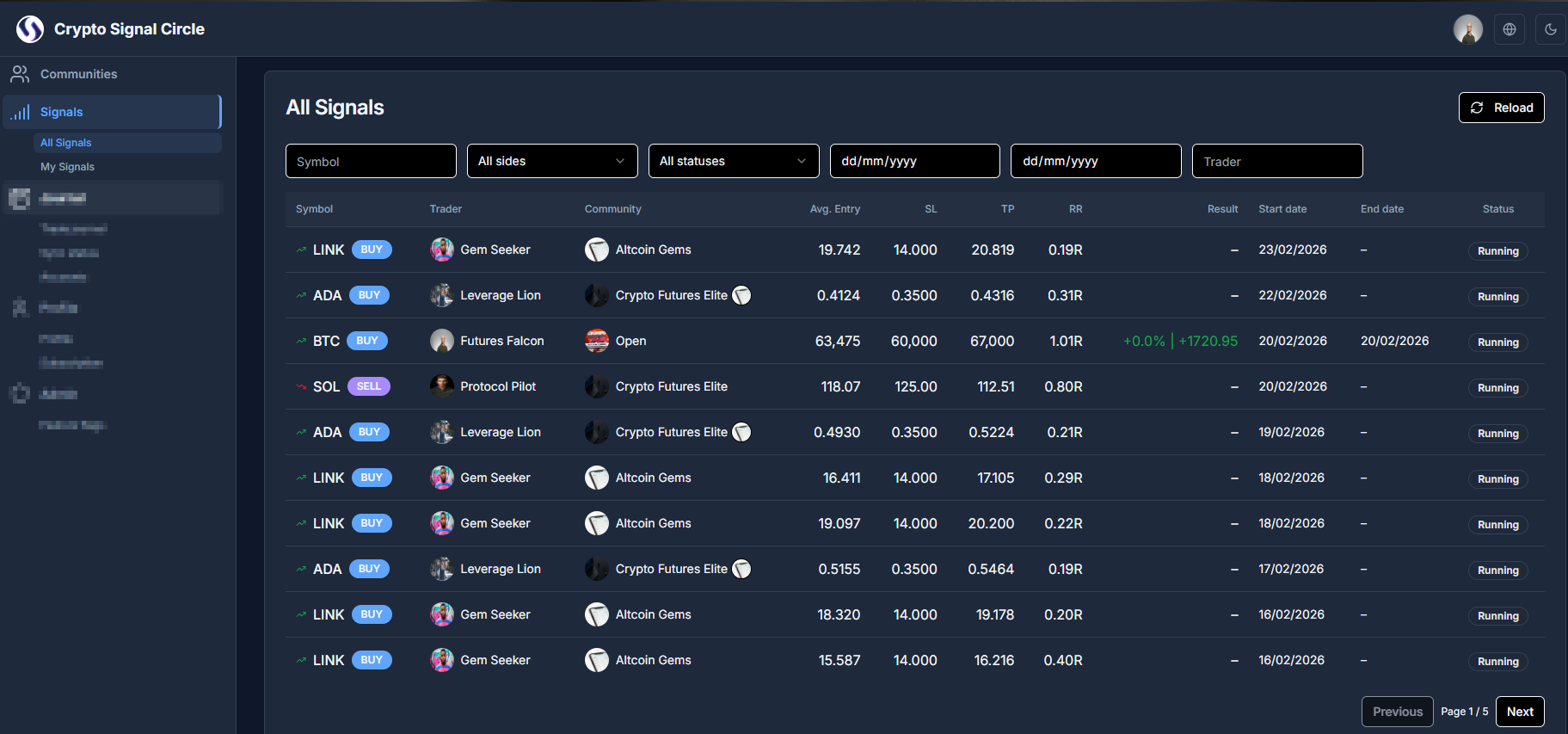
All Signals is the cross-community discovery feed. It helps users monitor available signals from multiple traders/communities in one view instead of navigating each community separately.
Why use it?
- Discover new opportunities quickly.
- Compare signals across communities and traders.
- Follow signal progress from one central feed.
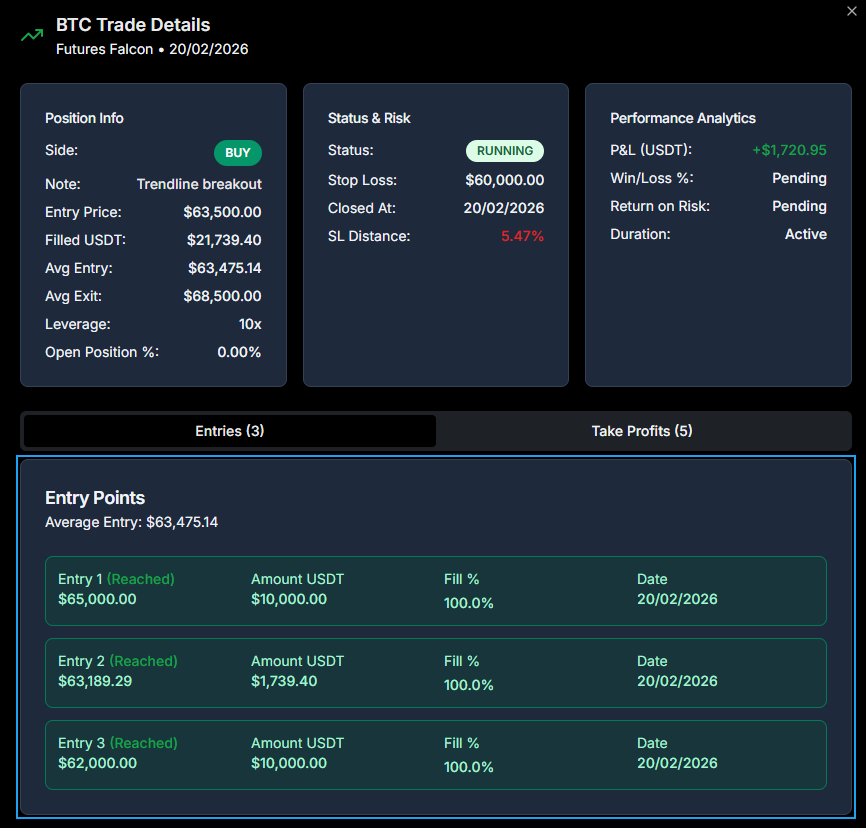
- See detailed entry / take profit information
Getting started
- Open Signals.
- Select All Signals.
- Browse live and historical signals.
Filter and review
- Filter by community, trader, status, or exchange.
- Sort by newest, performance, or latest update.
- Open a signal to inspect entries, targets, stop-loss, and updates.
Access notes
- Some signals are restricted to specific community memberships.
My Signals
What is My Signals?
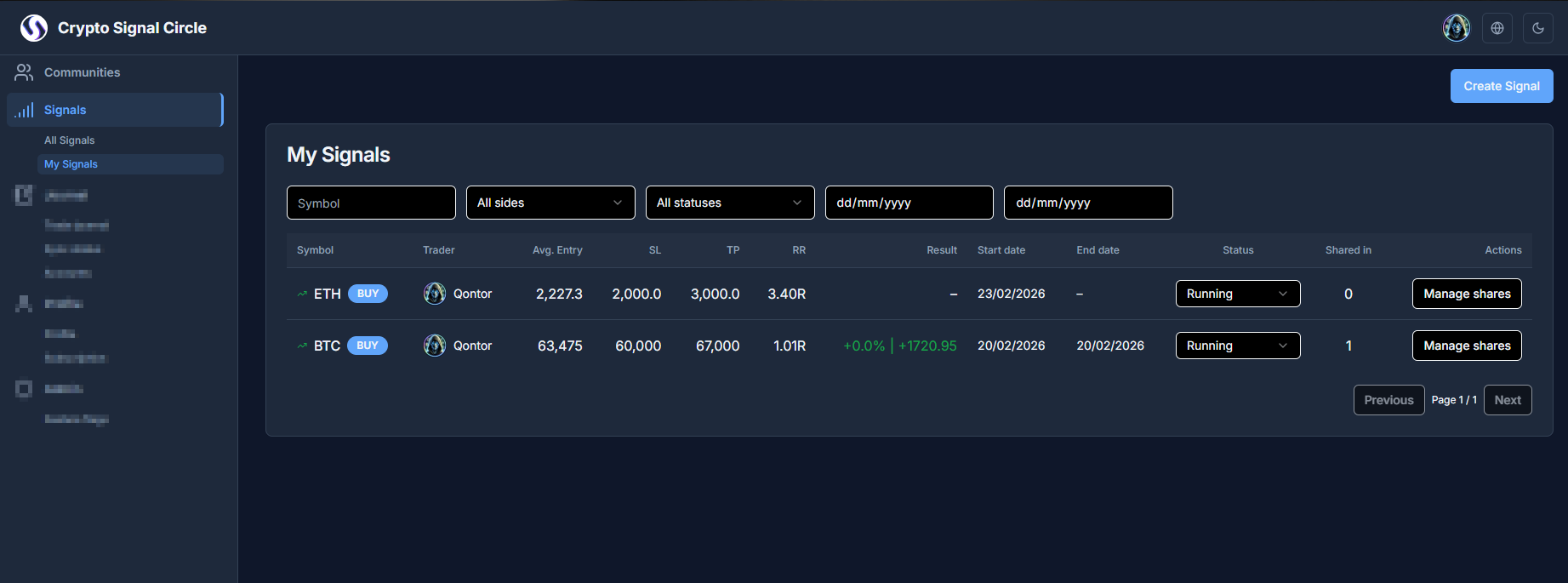
My Signals is your personal signal management area. It shows signals you created and helps you maintain them throughout their lifecycle (publish, update, manage, close).
Why use it?
- Track all your own signals in one place.
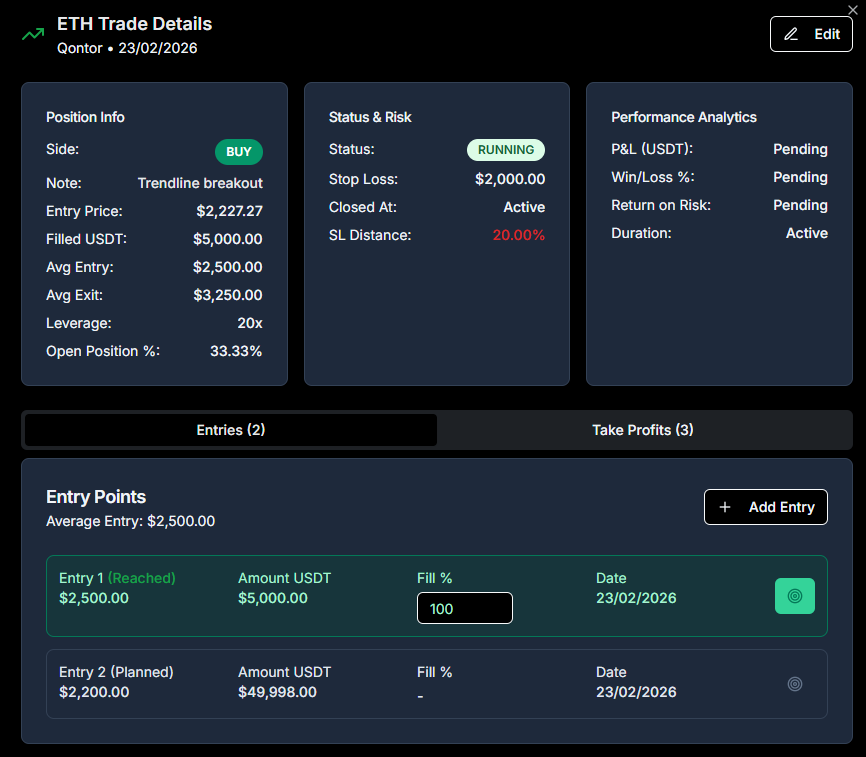
- Keep entries, targets, and stop-loss updates organized.
- Manage signal quality and consistency for your followers.
- Share it across your communities
Getting started
- Go to Signals.
- Open My Signals.
- Review your created signals.
- Update or close signals according to your permissions.
Best practices
- Keep signal status updated so members understand if it is active or finished.
- Close outdated signals to keep your list clean.