Connect your Bybit account
This guide explains how to securely connect your Bybit account to CryptoSignalCircle using a read-only API key.
CryptoSignalCircle cannot trade or withdraw funds from your account — it only reads your completed trades.
Demo vs. Production — which one should you use?
Bybit offers both:
- Demo account (paper trading)
- Production account (real trading)
You can connect either to CryptoSignalCircle.
The steps for creating an API key are the same — only the starting point differs.
Step 1 — Open API settings
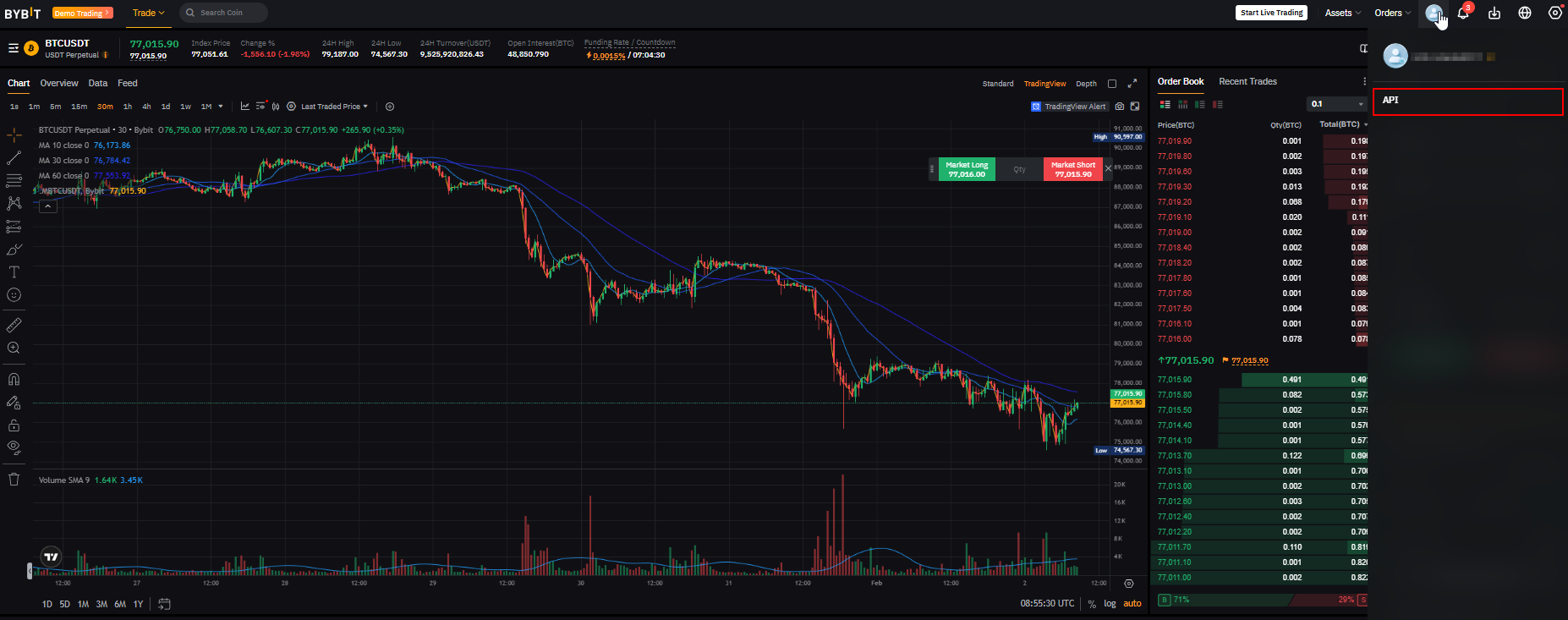
If you are in Demo mode
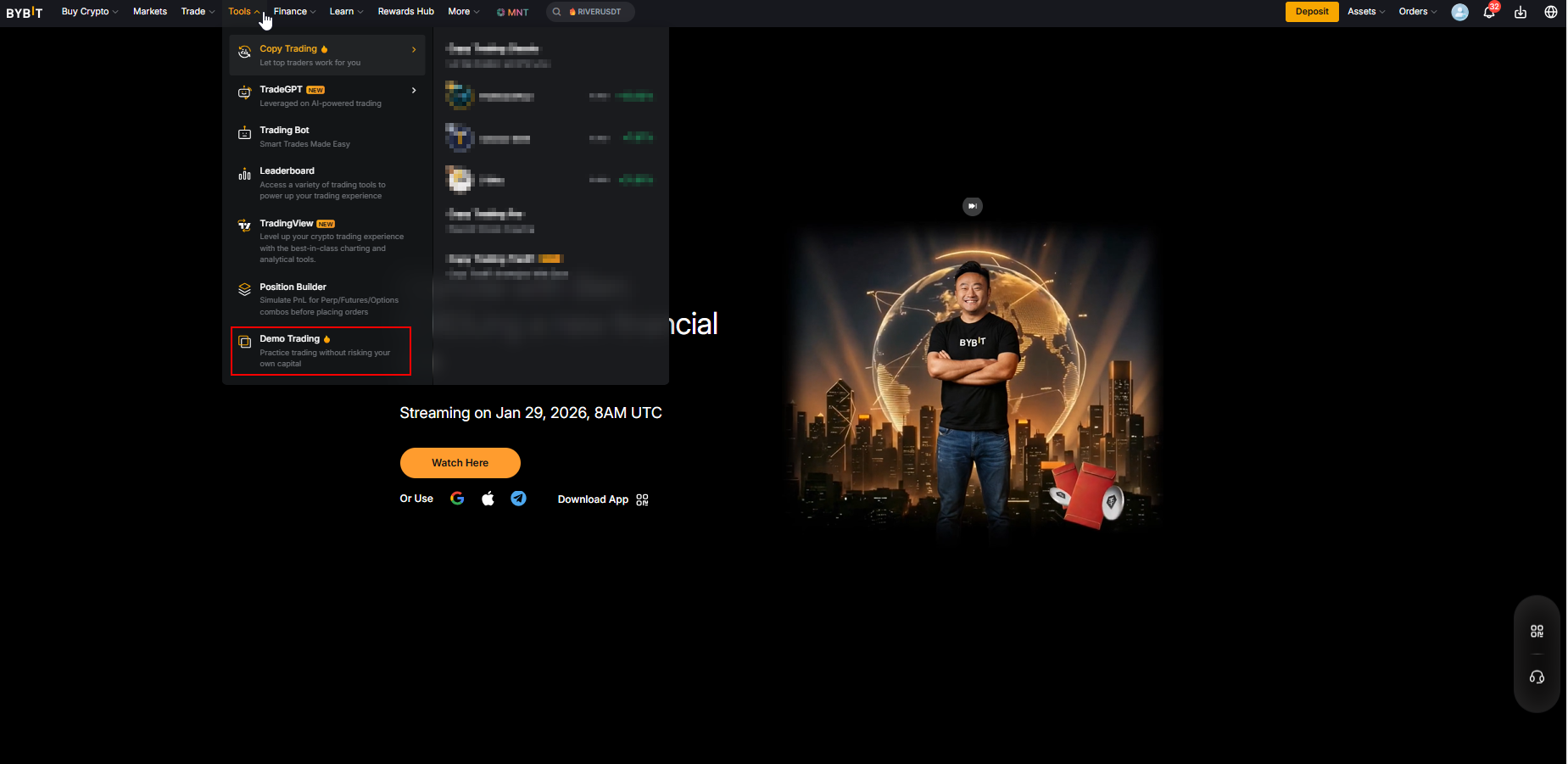
- Open the Trading interface
- Make sure you are in Demo mode
- Click your profile icon and select API Management
If you are in Production mode
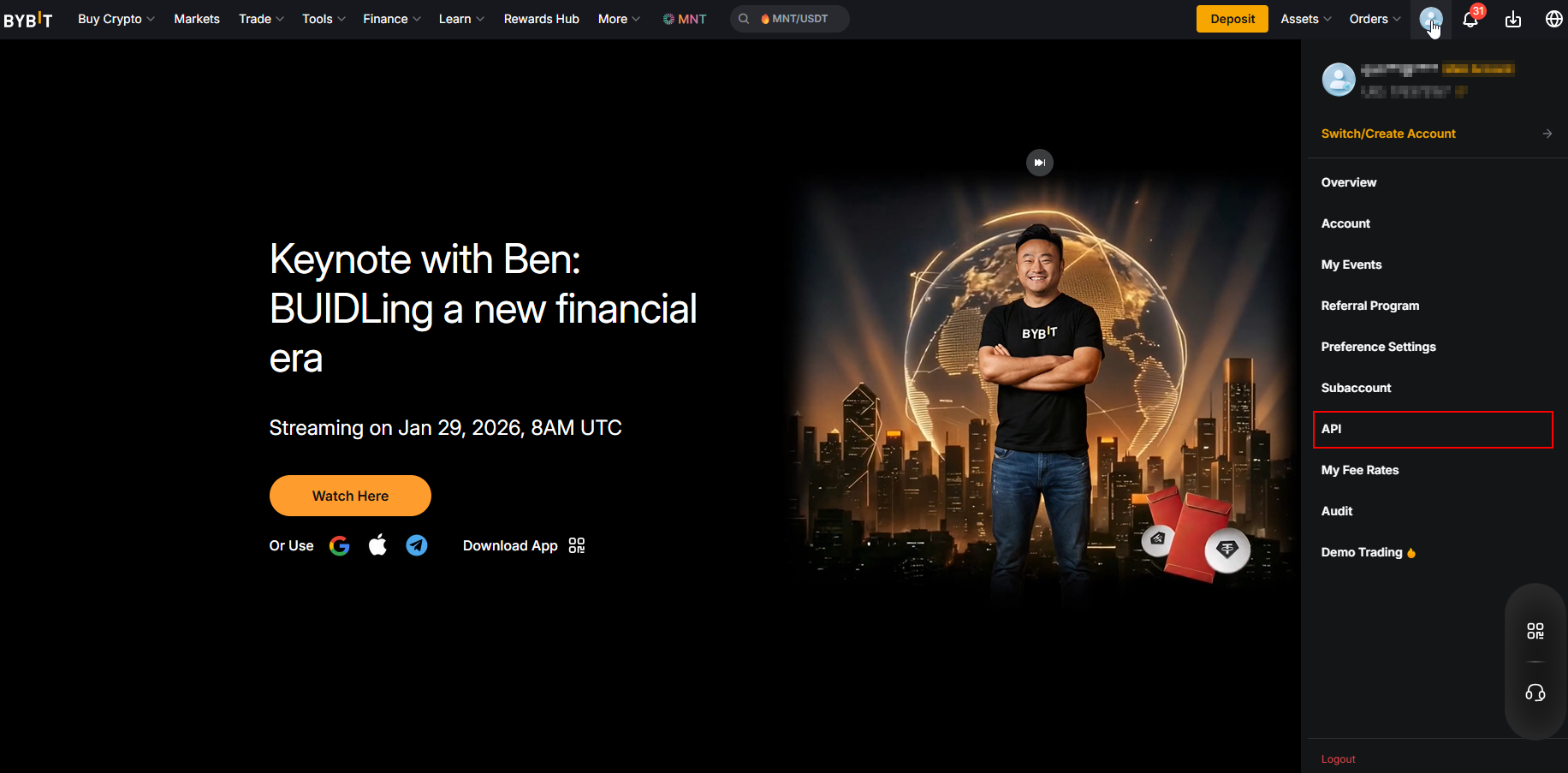
- Make sure you are in Production (Live) mode
- Open your profile menu
- Select API Management
Step 2 — Create a new API key
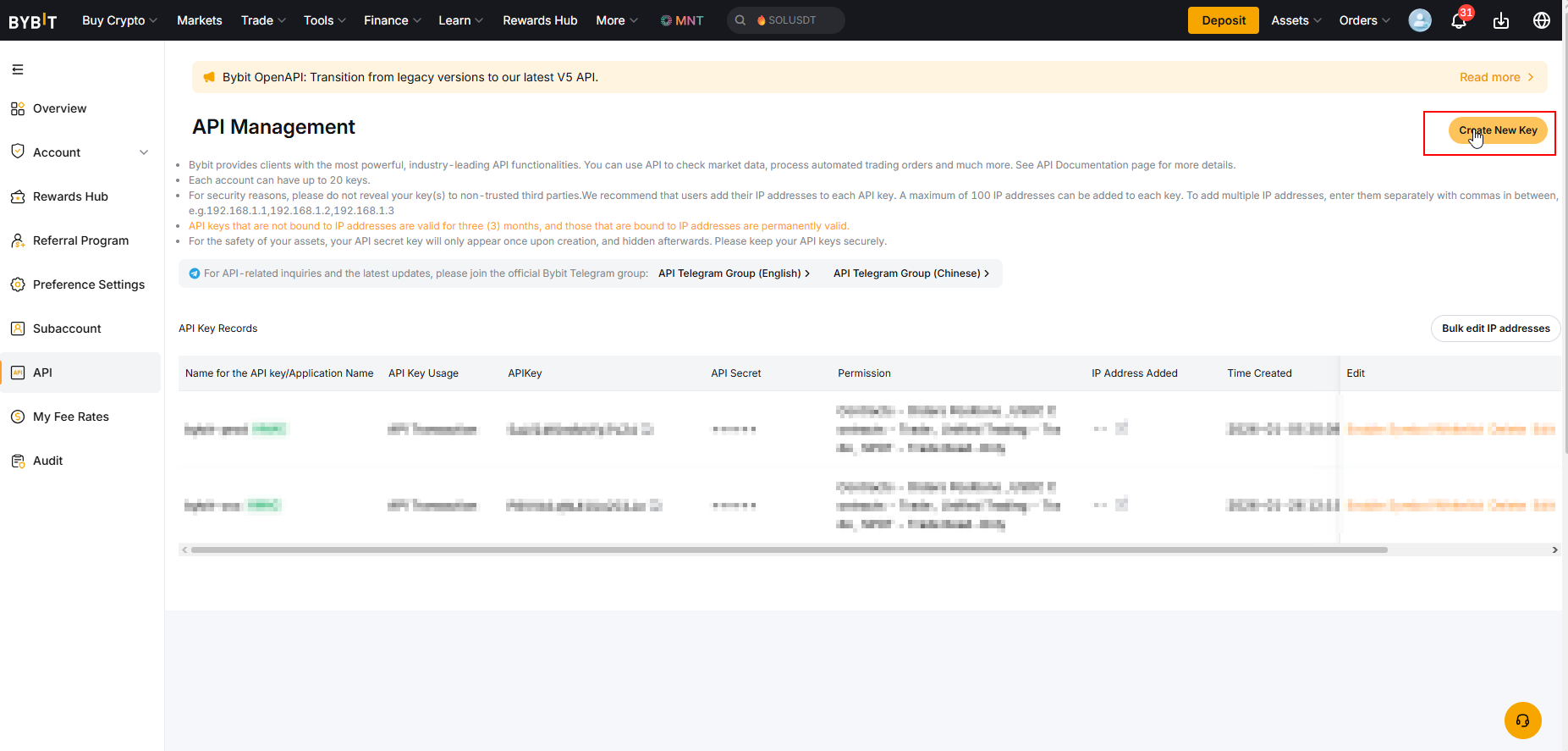
- Click Create New Key
- Continue to the next step
Step 3 — Choose API key type
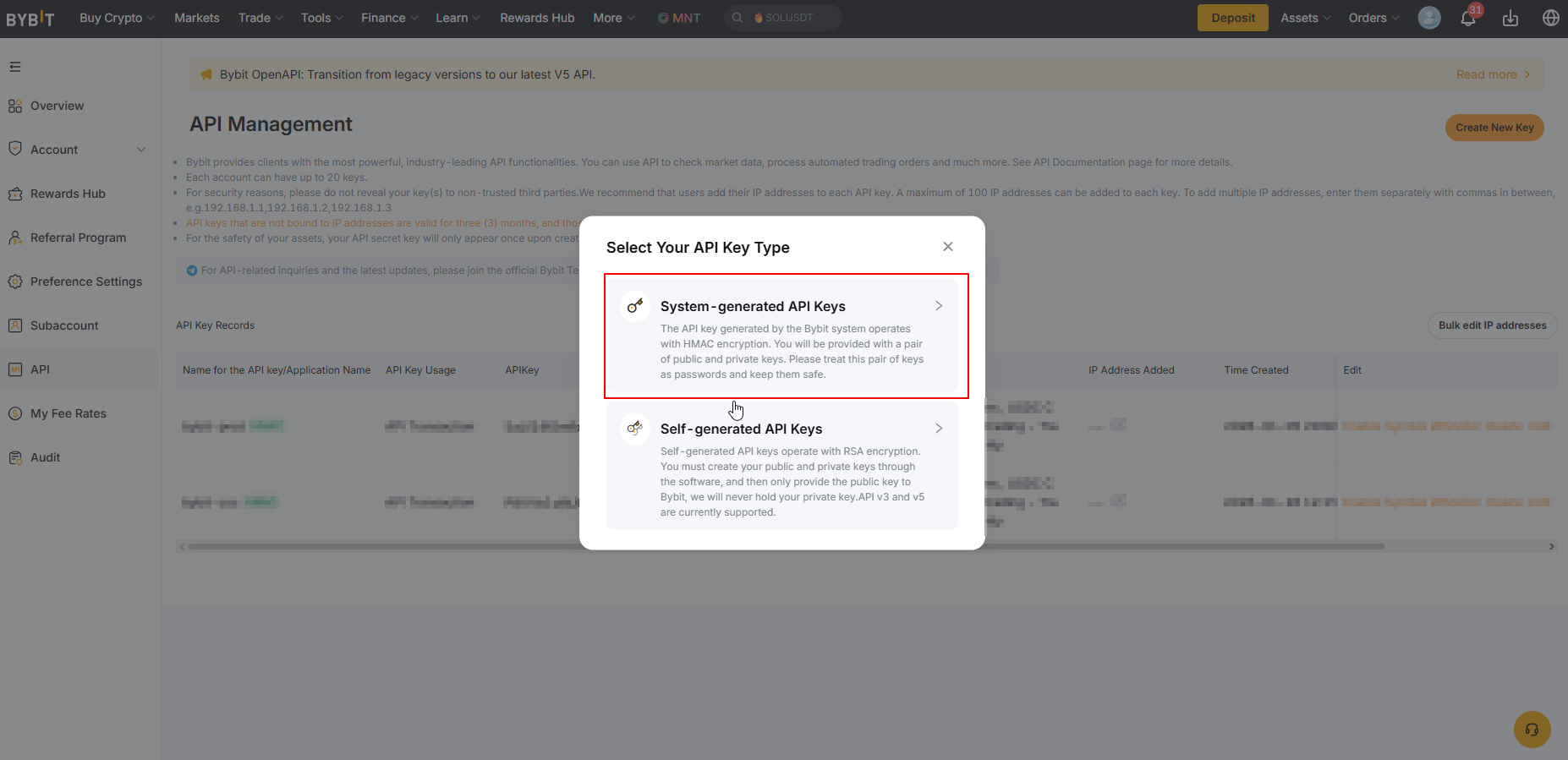
Select:
- System Generated API Key (recommended)
Then proceed.
Step 4 — Configure permissions
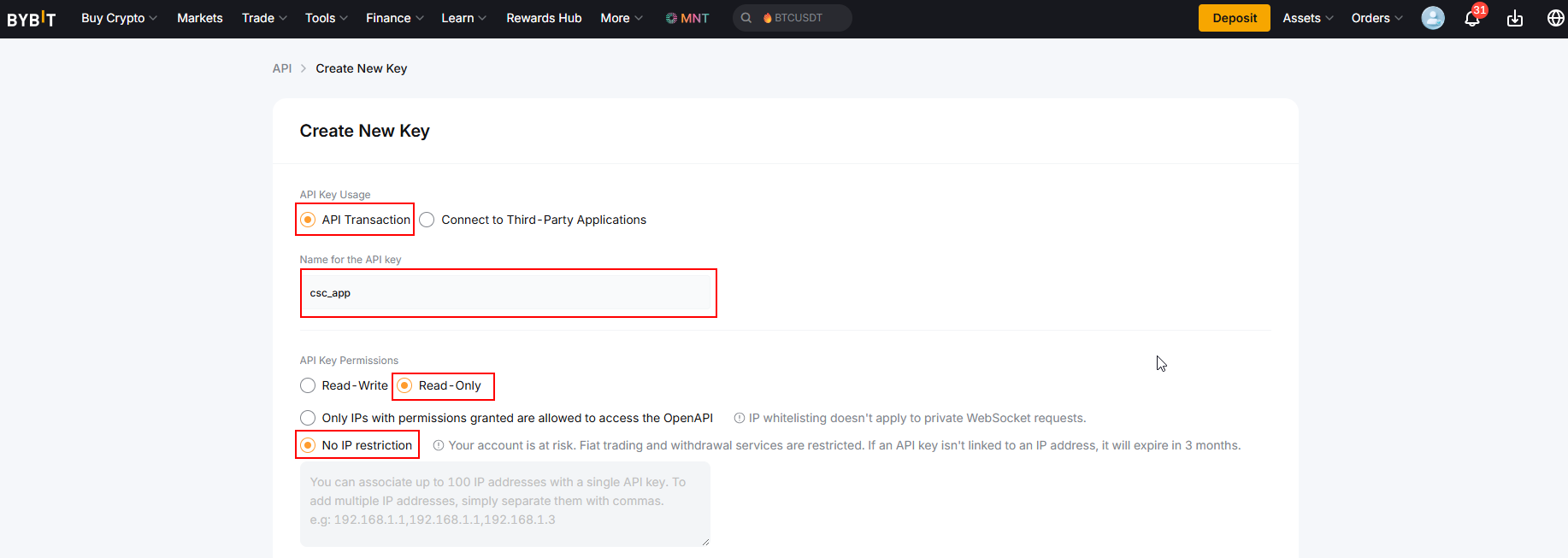
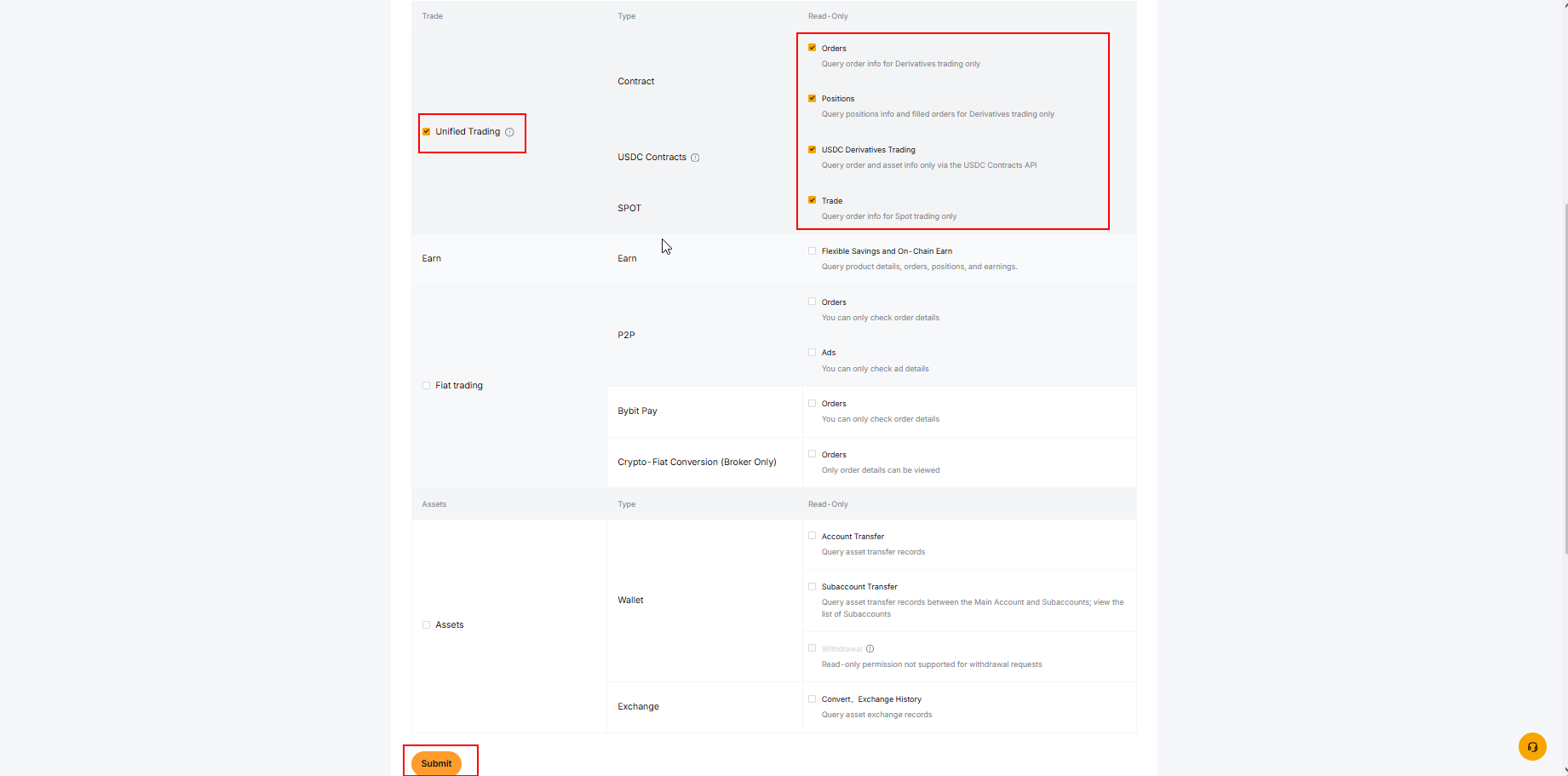
Make sure your key is configured as Read Only.
CryptoSignalCircle does not need:
- Trading permissions
- Withdrawal permissions
⚠️ Do not enable withdrawals or trading.
CryptoSignalCircle only requires read access to your completed trades.
Step 5 — Security verification
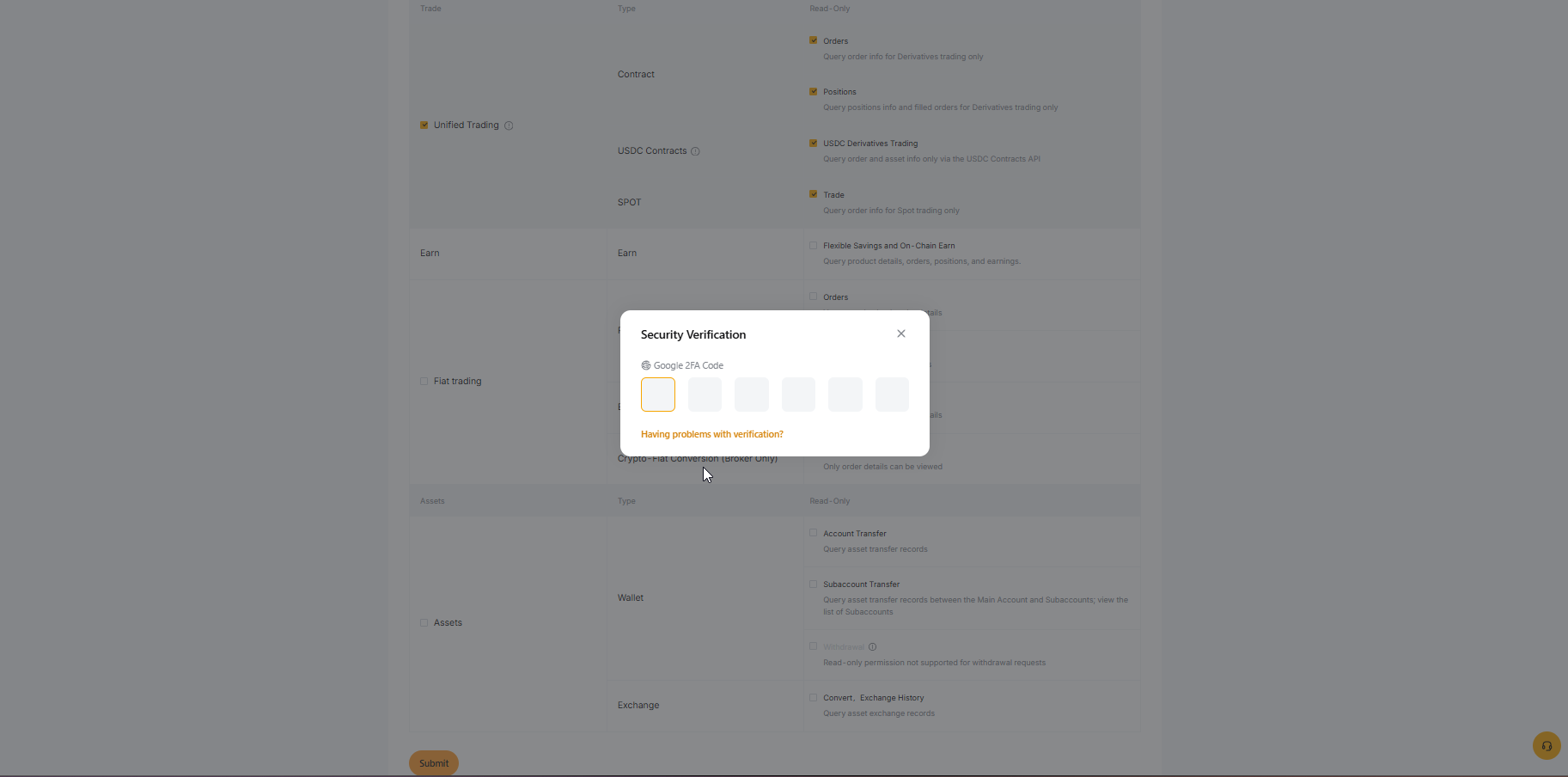
Complete the required verification (email, authenticator app, or both).
This is required before your API key is created.
Step 6 — Copy API Key & Secret
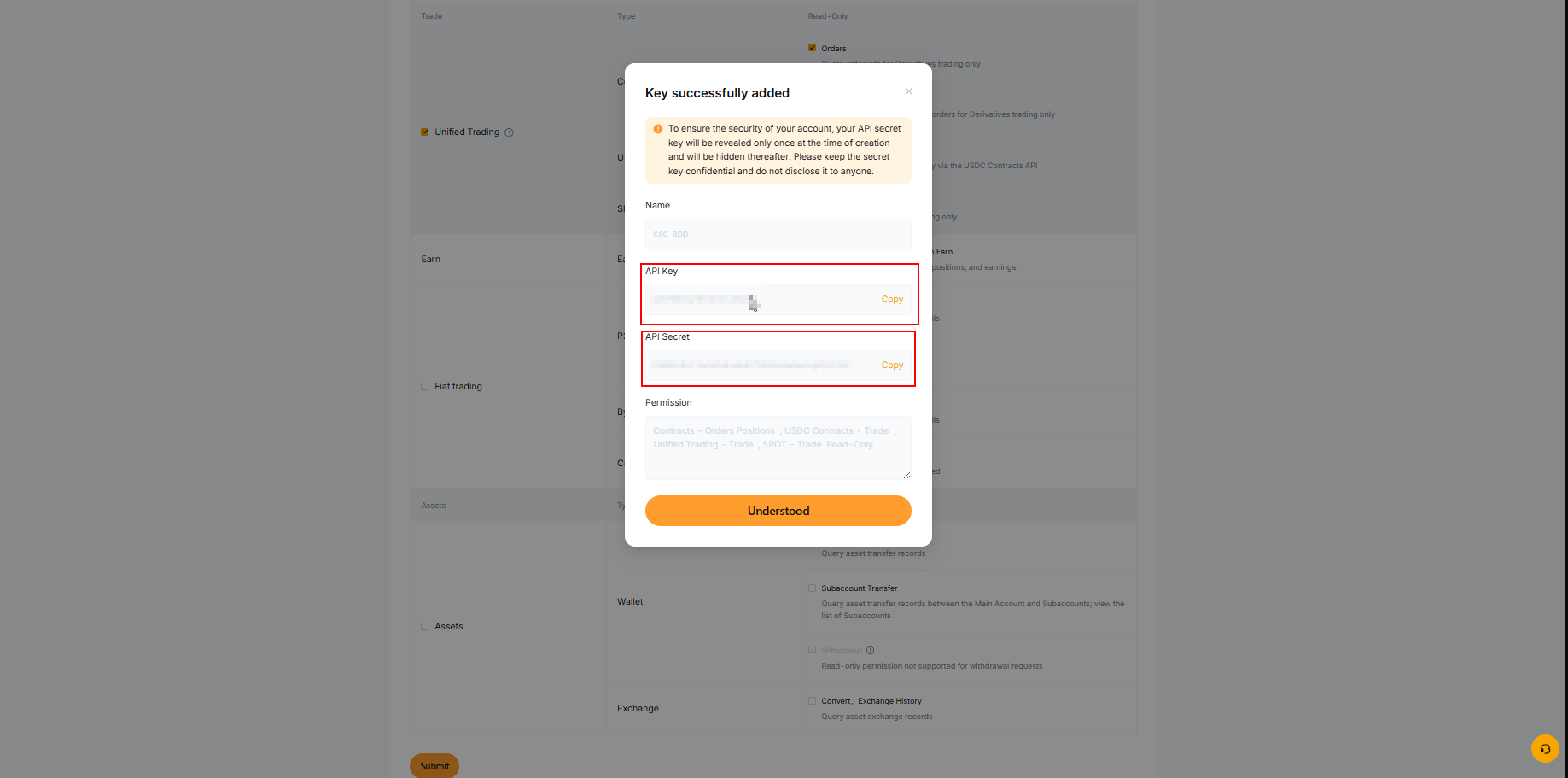
Bybit will now display:
- API Key
- Secret Key
Copy both values and keep them ready.
⚠️ You may only see the Secret Key once — store it safely.
Step 7 — Add Bybit in CryptoSignalCircle
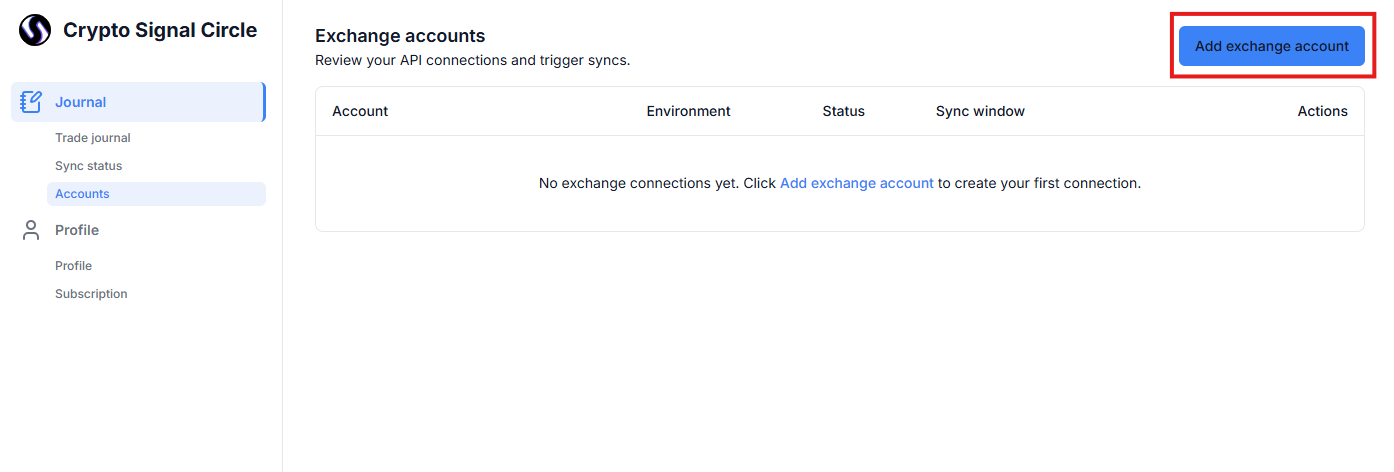
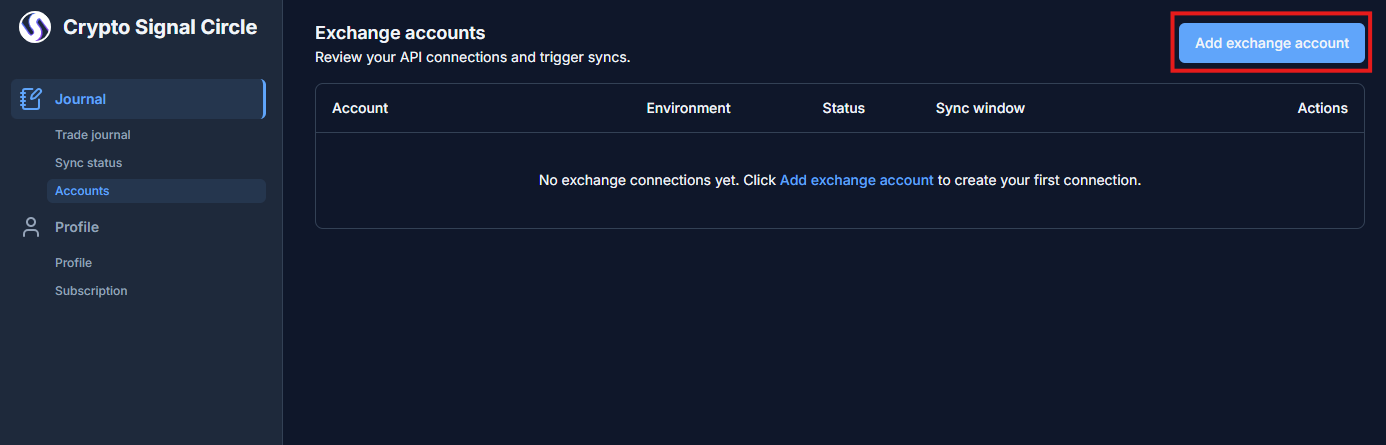
- Open your CryptoSignalCircle dashboard
- Click Connect Exchange
- Select Bybit
- Add Account Nickname
- Paste:
- API Key
- Secret Key
- Select Account environment
- Click Save Connection
Step 8 — Start syncing your trades
Once connected:
- The initial sync may take a few minutes
- Historical trades will load automatically
- New trades will sync continuously
You can monitor sync status in your dashboard.
Disconnecting Bybit
You can disconnect at any time by:
- Removing Bybit in CryptoSignalCircle and
- Deleting the API key directly in Bybit
⚠️ Important: When you disconnect an exchange account, all data associated with that account (including trade history and journal entries) will be permanently deleted from CryptoSignalCircle.