Connect your Binance account
This guide explains how to securely connect your Binance account to CryptoSignalCircle using a read-only API key.
CryptoSignalCircle cannot trade or withdraw funds from your account — it only reads your completed trades.
Demo vs. Production
Binance offers a Demo / Paper Trading environment — however, we currently cannot support Binance Demo accounts.
This is because Binance’s demo APIs do not fully provide the required trade history data for reliable syncing.
👉 Please follow this guide using your Production (Live) Binance account.
Step 1 — Open API Management
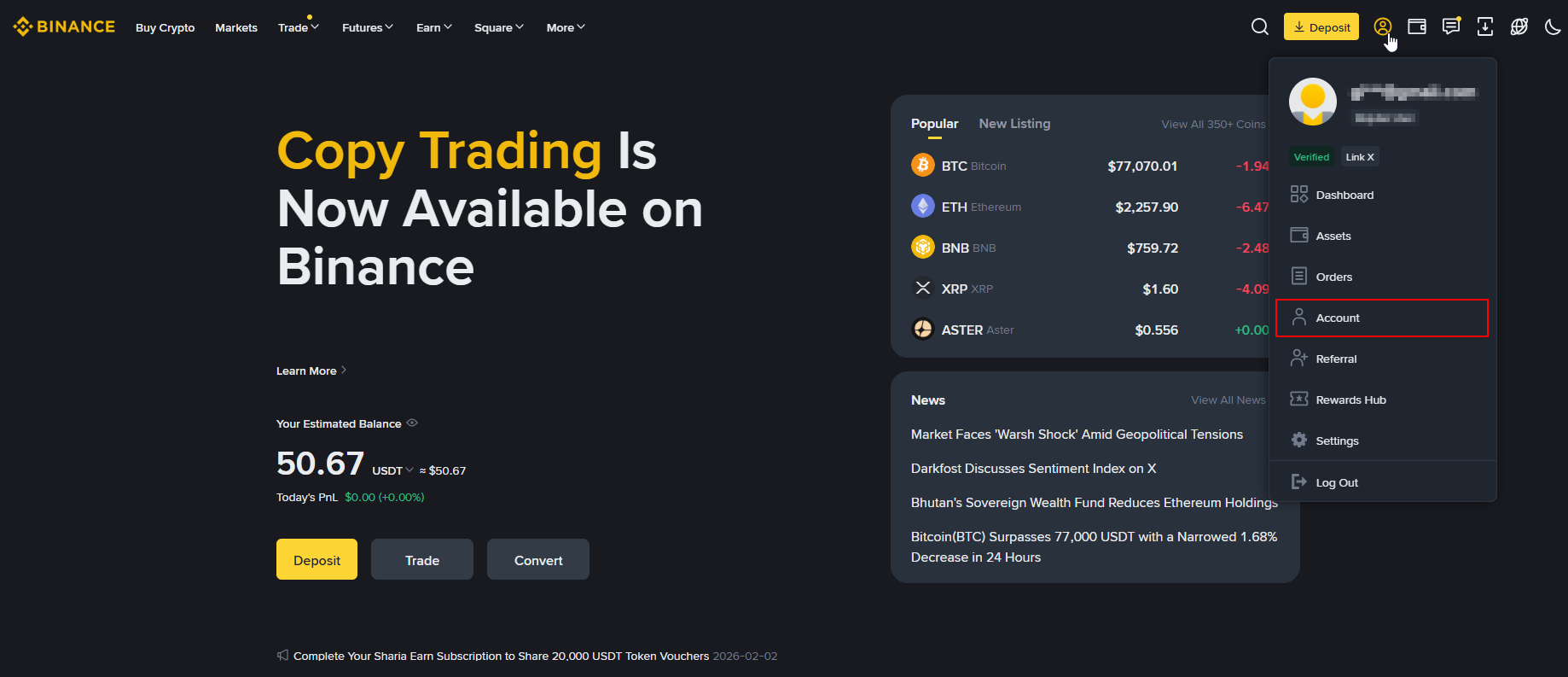
- Log in to binance.com
- Click your profile icon
- Select Account
Step 2 — Create a new API key
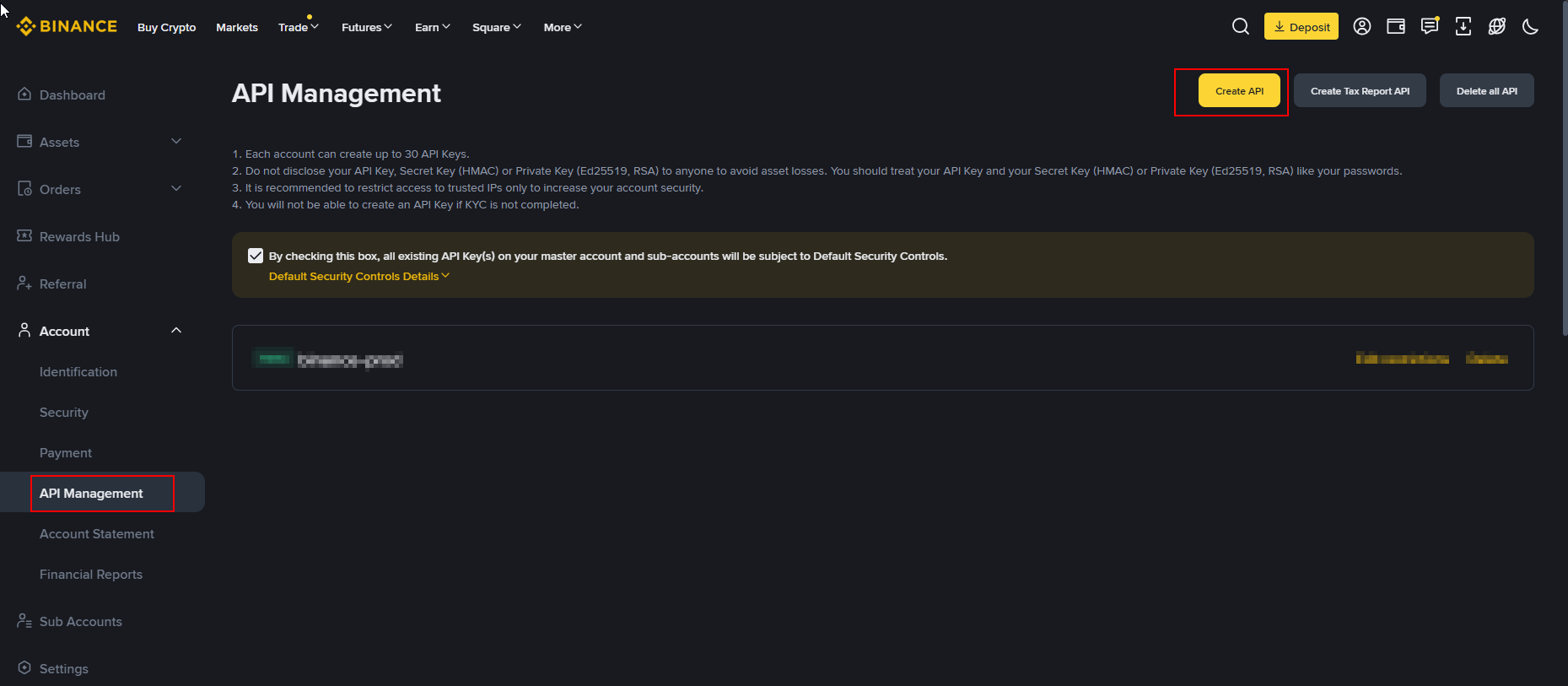
- Select API Management
- Click Create API to start the process.
Step 3 — Choose API key type
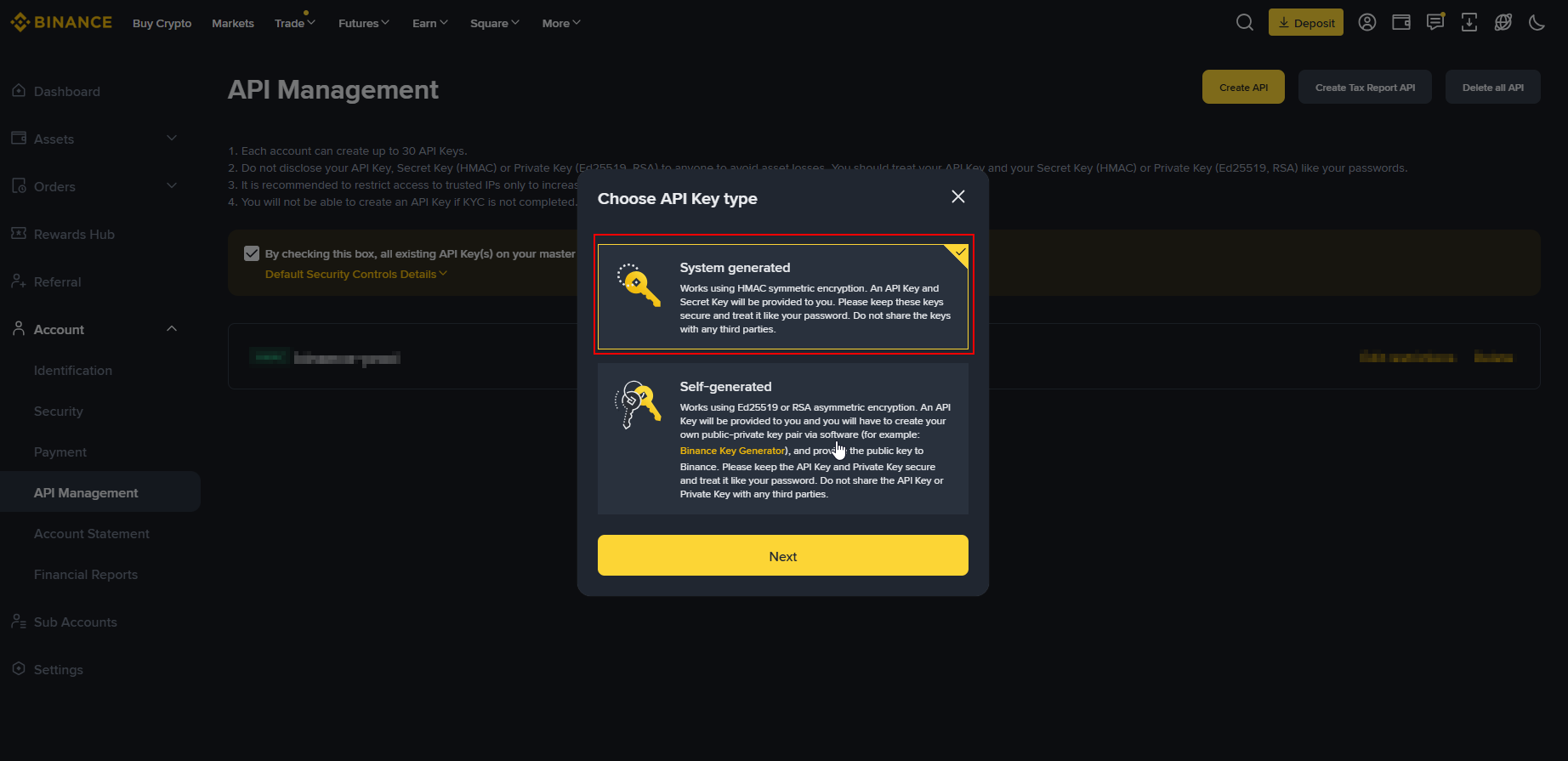
Select:
- System Generated API Key (recommended)
Then continue.
Step 4 — Name your API key
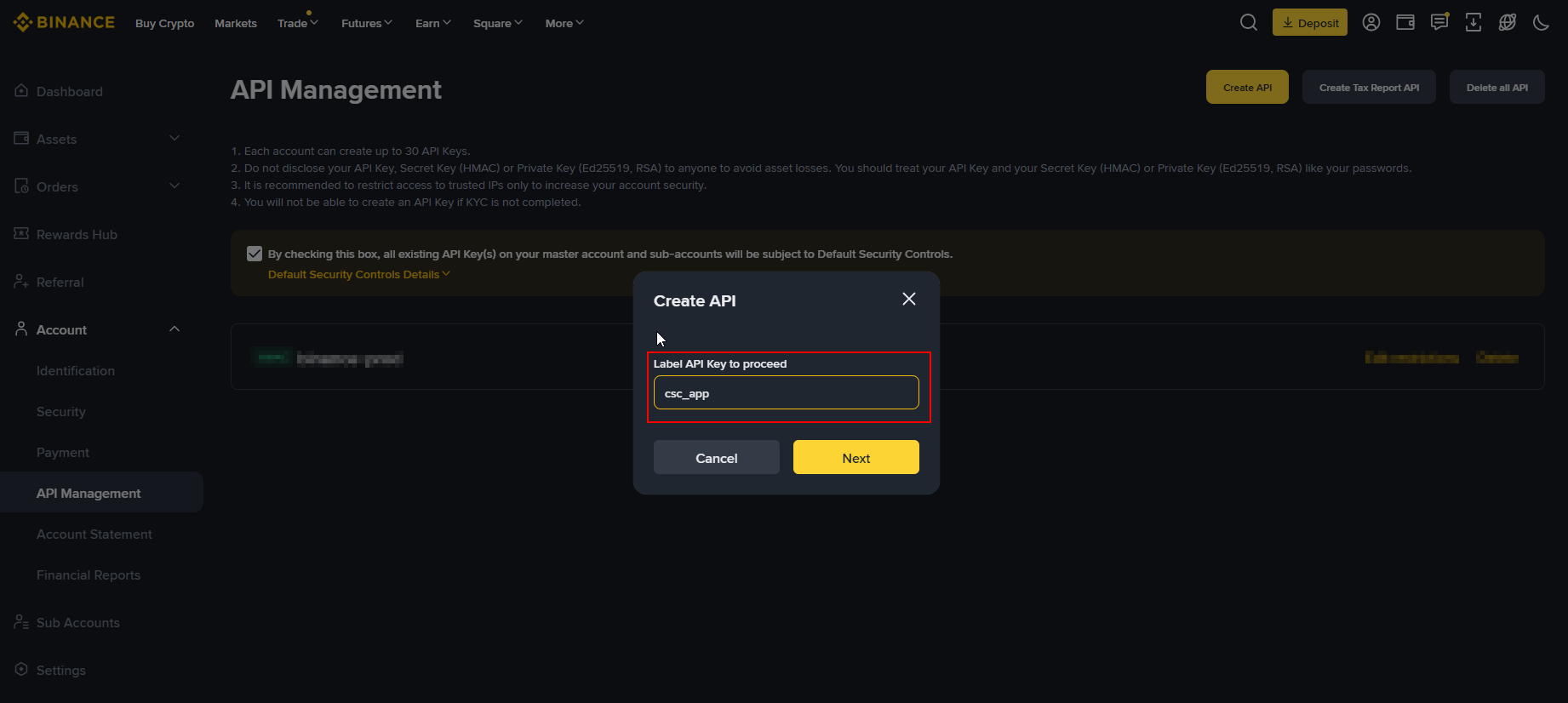
Enter a clear name, for example:
csc_app
This helps you later identify what the key is used for.
Step 5 — Security verification
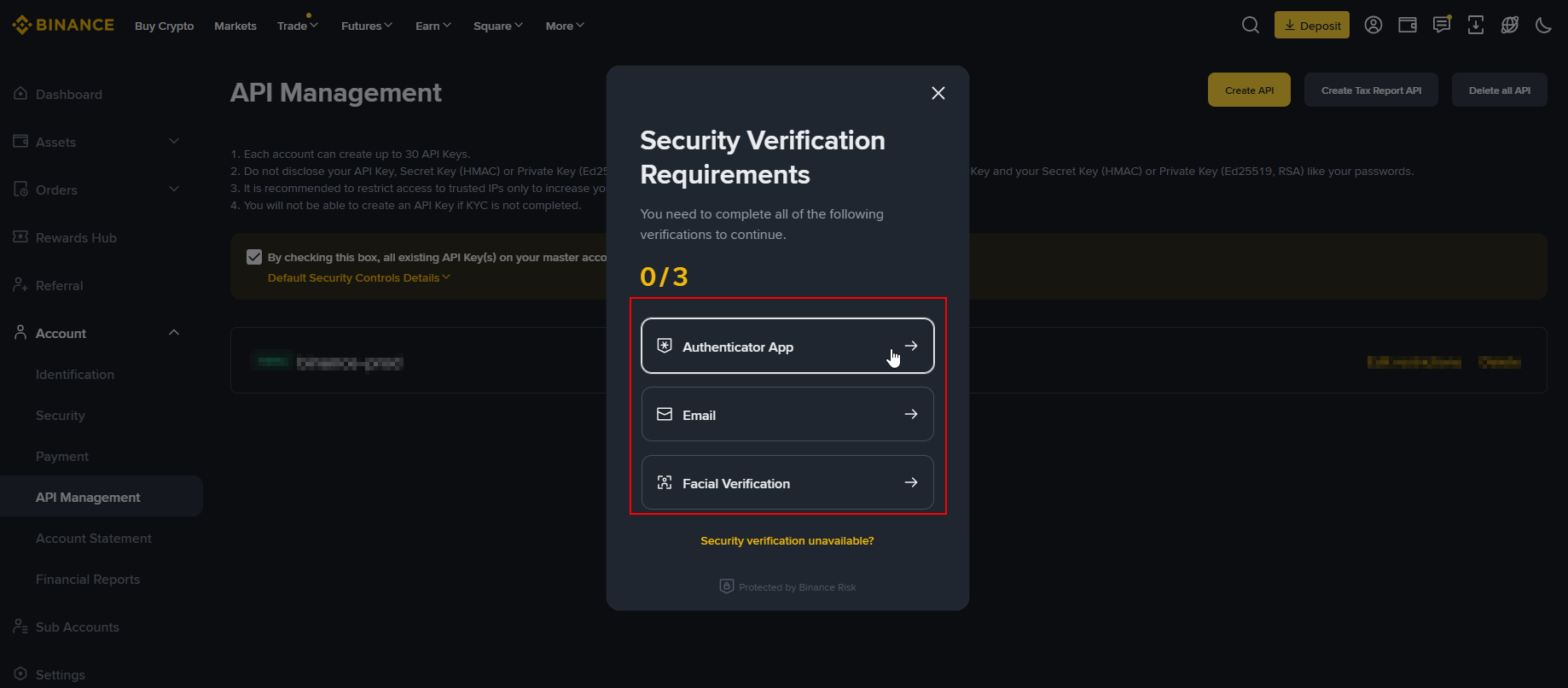
Complete the required security verification (email, authenticator app, or both).
This step is mandatory before your API key is created.
Step 6 — Configure permissions
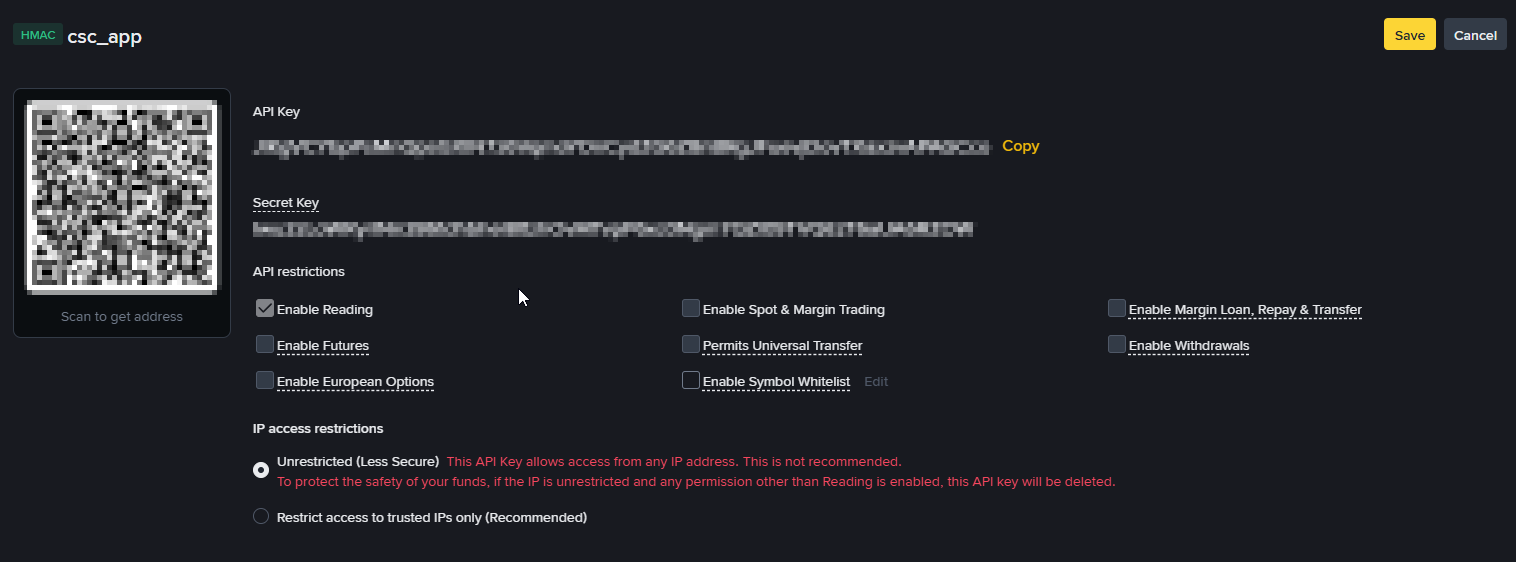
Make sure your key is configured as follows:
-
✅ Enable Reading → ON
-
❌️ Enable Futures → OFF Reading also includes reading of future trades
-
❌ All other options → OFF
-
Unrestricted
⚠️ Do not enable withdrawals or trading.
CryptoSignalCircle does not need these permissions.
Step 7 — Copy API Key & Secret
After saving, Binance will display:
- API Key
- Secret Key
Copy both values and keep them ready.
⚠️ You may only see the Secret Key once — store it safely.
Step 8 — Add Binance in CryptoSignalCircle
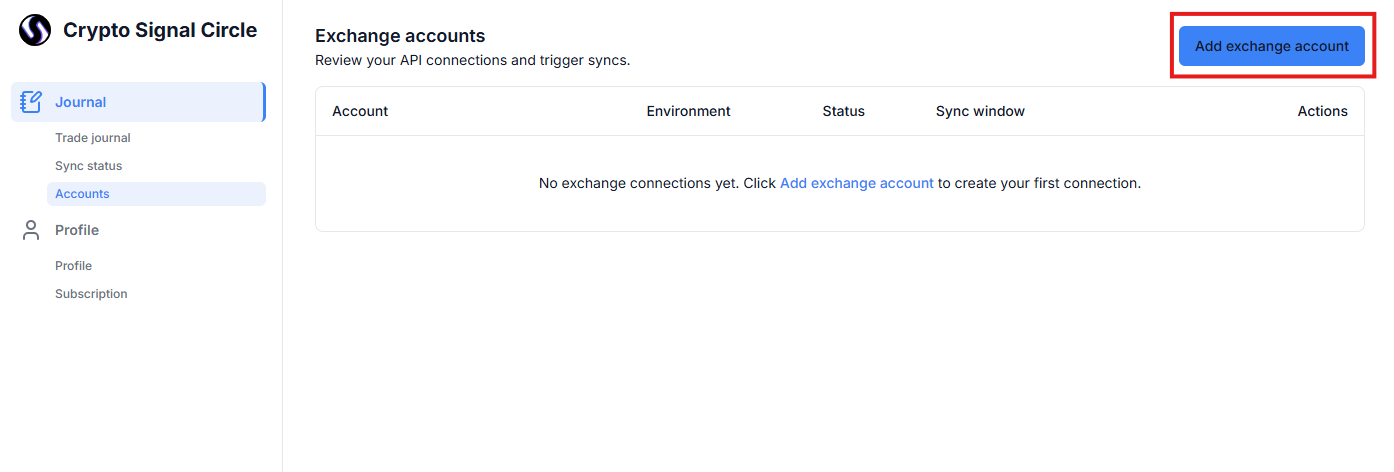
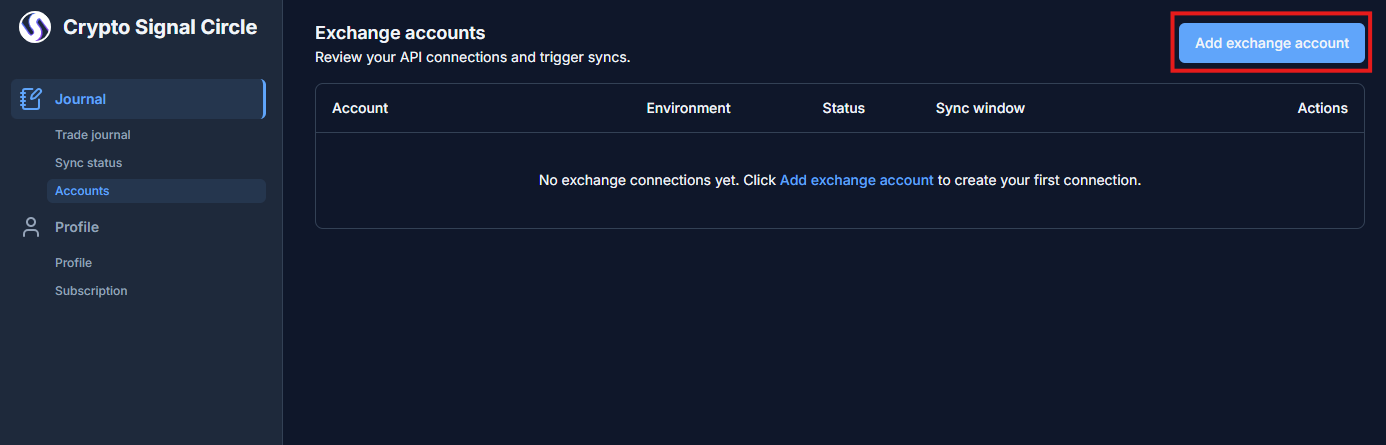
- Open your CryptoSignalCircle dashboard
- Click Connect Exchange
- Select Binance
- Add Account Nickname
- Paste:
- API Key
- Secret Key
- Select Account environment (Only production is currently supported)
- Click Save Connection
Step 9 — Start syncing your trades
Once connected:
- The initial sync may take a few minutes
- Historical trades will load automatically
- New trades will sync continuously
You can monitor sync status in your dashboard.
Disconnecting Binance
You can disconnect at any time by:
- Removing Binance in CryptoSignalCircle and
- Deleting the API key directly in Binance
⚠️ Important: When you disconnect an exchange account, all data associated with that account (including trade history and journal entries) will be permanently deleted from CryptoSignalCircle.
Further resources
For the official Binance instructions on creating API keys, see:
- Official Binance: How to Create API Keys
https://www.binance.com/en/support/faq/detail/360002502072